Vibe Blueprints
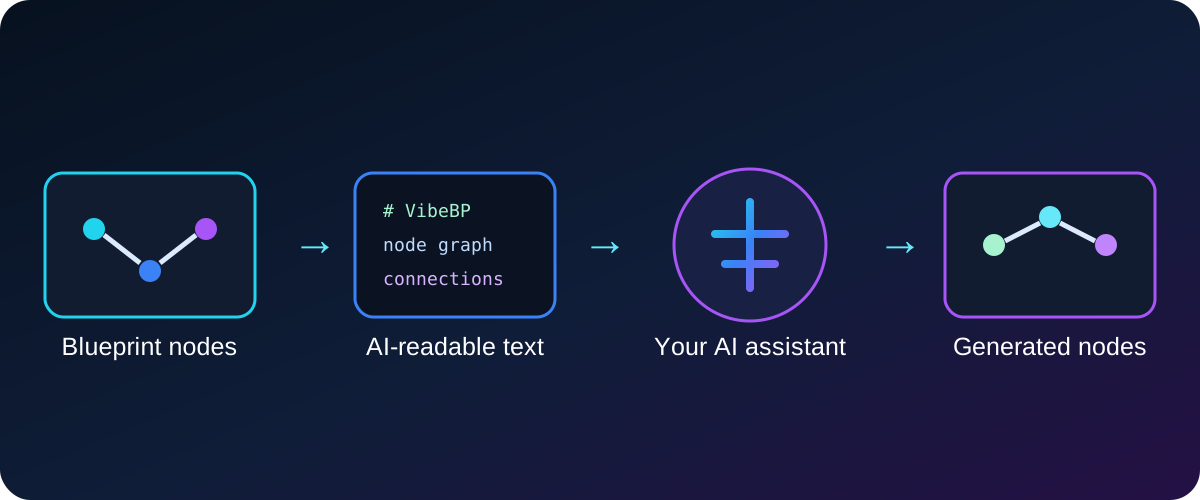
Vibe Blueprints is a model-agnostic Unreal Engine Editor plugin that converts selected Blueprint nodes into AI-readable text, supports compact logic review, and generates native Blueprint clipboard nodes from reversible AI output.
Why use Vibe Blueprints?
-
Export the selected logic
Select nodes in the active Blueprint graph and press Selected to AI. No separate
Ctrl+Cstep is required. -
Use your preferred AI
The plugin does not contain an AI model, require an API key, or lock the workflow to one provider.
-
Review logic efficiently
AI Debug creates compact semantic pseudocode with user-defined names and source node references.
-
Keep unsafe assumptions visible
Base events, Blueprint-owned components, and unsupported project-specific operations become visible placeholders.
Main workflow
- Open a Blueprint and select graph nodes.
- Open Window → Vibe Blueprints.
- Press Copy AI instruction and paste it into your AI assistant.
- Choose Round-trip or AI Debug.
- Press Selected to AI.
- Send the generated text and your request to the AI assistant.
- For importable output, require one complete document beginning with
# VibeBP. - Paste the returned text into Vibe Blueprints.
- Press Generate & copy nodes.
- Paste into the Blueprint graph.
- Keep the new nodes selected and press Repair imported assets.
AI Debug is non-reversible
AI Debug is intended for logic review only. Importable AI output must use the reversible VibeBP format.
Local and model-agnostic
Vibe Blueprints performs conversion inside Unreal Editor.
The plugin does not automatically send Blueprint data to any remote service. External sharing happens only when the user copies text and sends it to an AI provider.